Dear Wareconn Warranty Cloud Users,
Wareconn Warranty Cloud Platform launched the [RTV (Return to Vendor)] feature on December 04, 2025. As a core component of the warranty chain, this function realizes the full lifecycle traceability and status tracking of defective products through a two-tier warranty process design, further improving the efficiency of warranty business processing and the accuracy of inventory management. Details are as follows:
1. Feature Overview
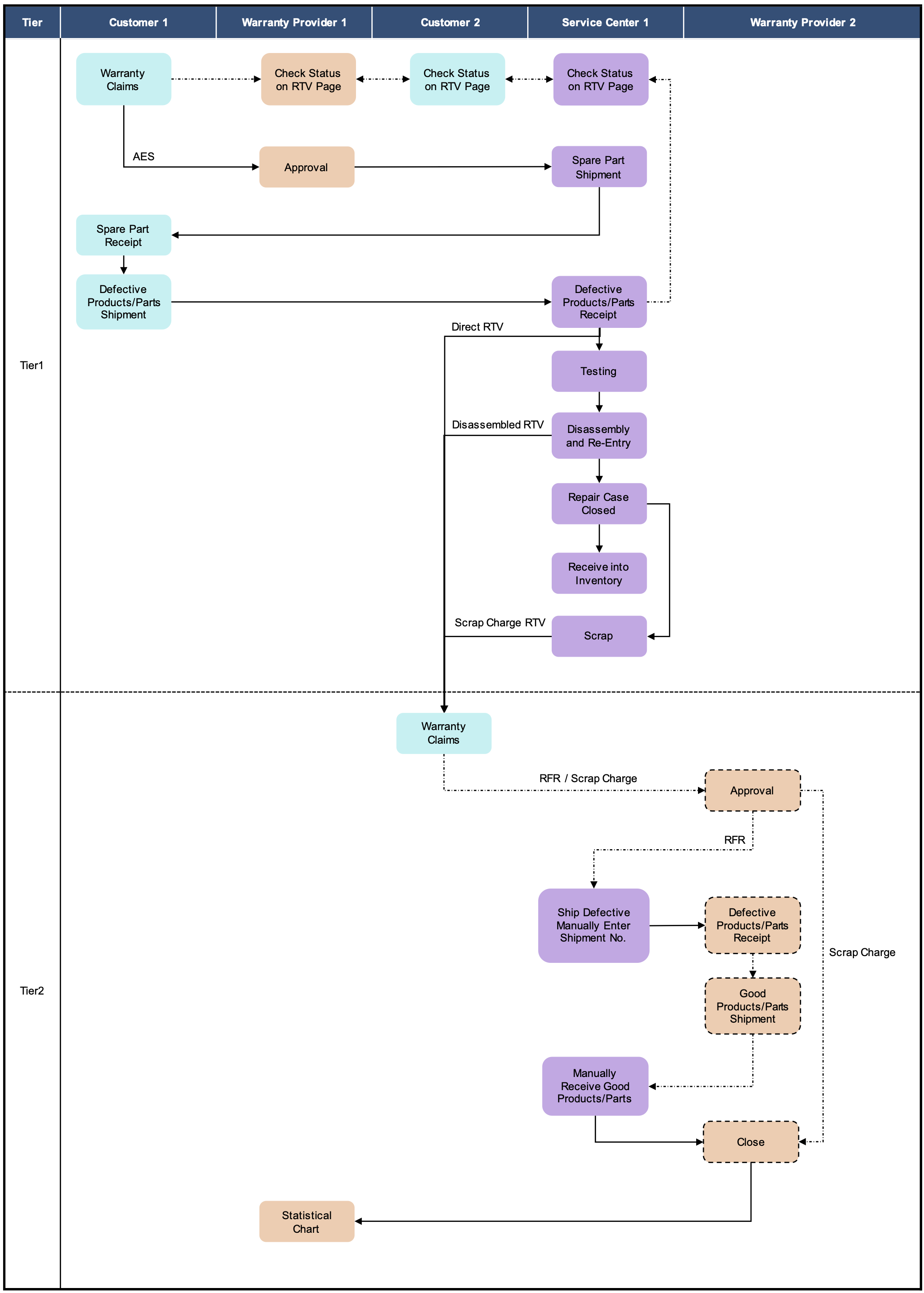
RTV focuses on defective product reverse flow management, establishing an end-to-end closed-loop process from customer claims → warranty provider → vendor repair → return to good inventory. By clearly defining up- and downstream warranty responsibilities through a systematic approach, it supports two operation modes: Direct RTV and Disassembled Parts RTV. The system enables real-time material status tracking and precise warranty cost control, while converting repaired good products into available spare inventory to maximize asset value.
2. Applicable Users & Scenarios
| Role | Core Use Scenario |
| Customer 1 (End Customer) | Submits a warranty claim for defective products to warranty provider 1 and tracks the repair status. |
| Warranty Provider 1 (Tier 1 Vendor) | After receiving defective products from the customer, initiates a second-tier warranty claim to the vendor (warranty provider 2) |
| Customer 2 (Role Converted from Warranty Provider 1) | Acts as the second-tier warranty applicant and submits warranty claims to the vendor. |
| Service Center | Performs defective product receiving inspection, disassembly and supplementary part registration, ships defective products on behalf of the warranty provider 1 , and receives repaired good products into inventory. |
| Warranty Provider 2 (Vendor) | Defines product warranty rules, approves warranty claims, receives defective products, and returns repaired good products. |
3. Flowchart
4. Scenario Demonstration
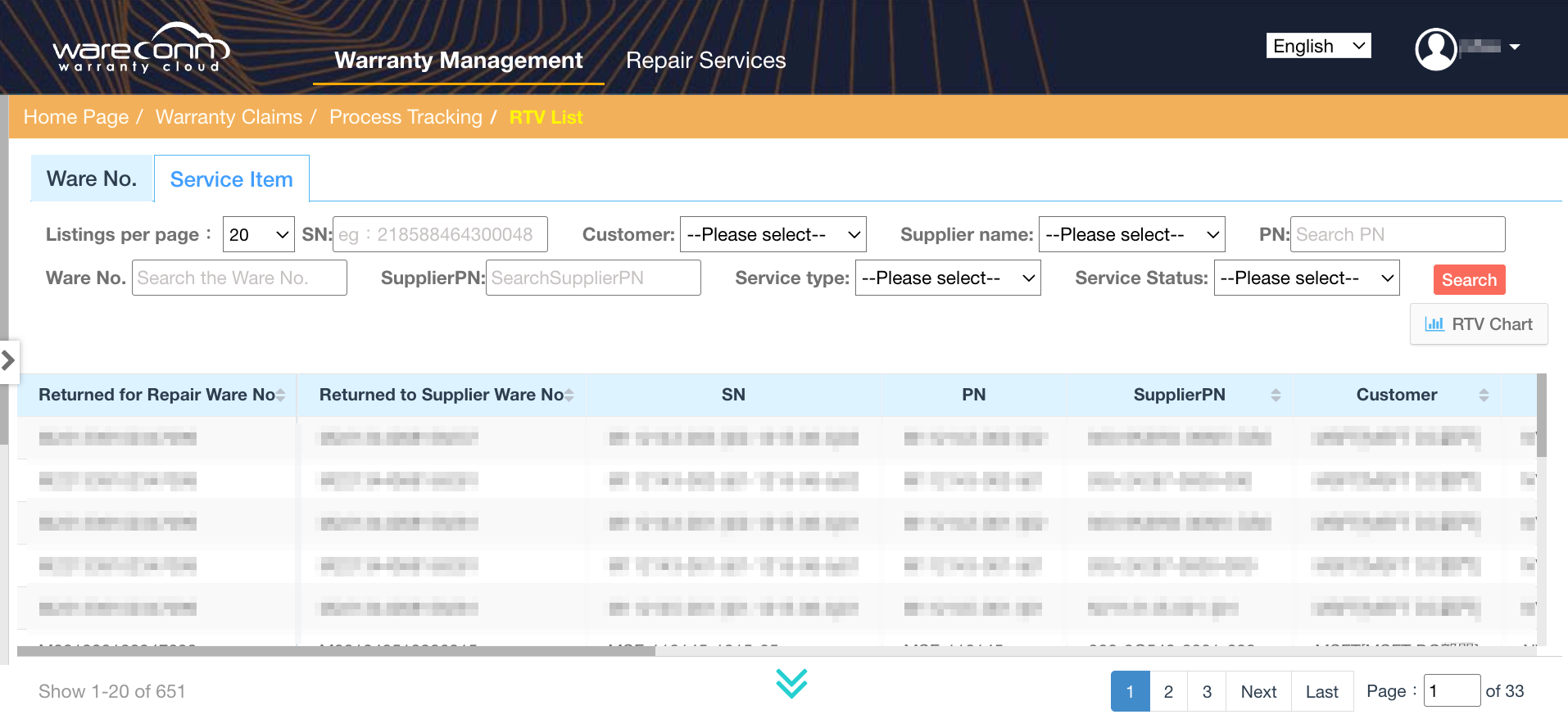
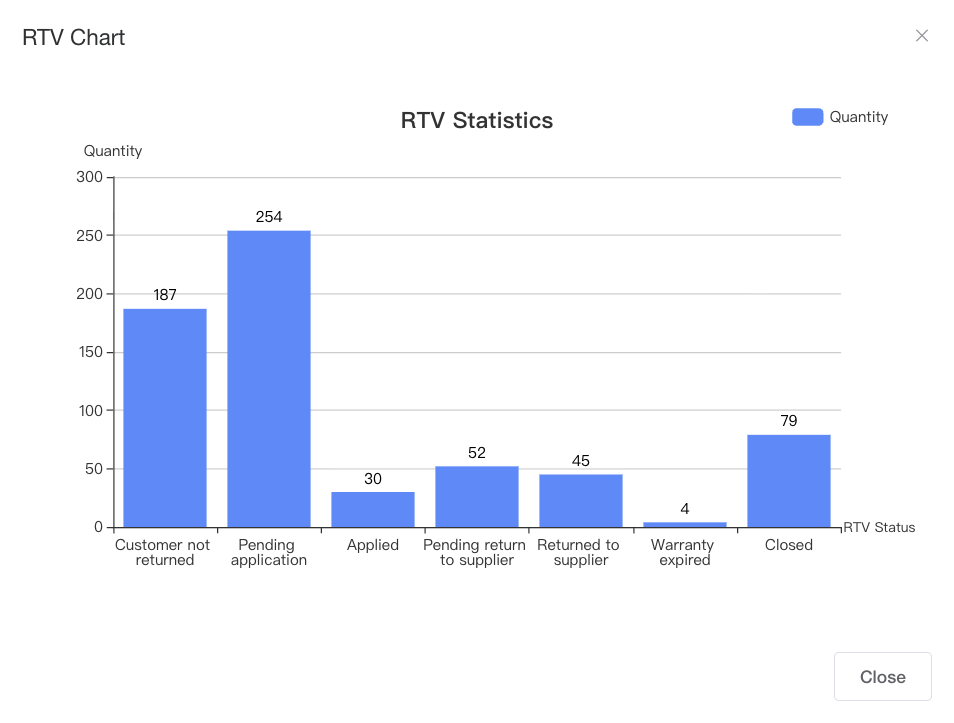
4.1 RTV Progress Tracking and Management
Warranty provider can access the “RTV Return to Vendor” module to review detailed progress information for all products pending return to vendors via the RTV list. In addition, the system provides a dashboard with graphical charts to display overall RTV progress in real time, allowing warranty provider to intuitively track project status and execution progress.
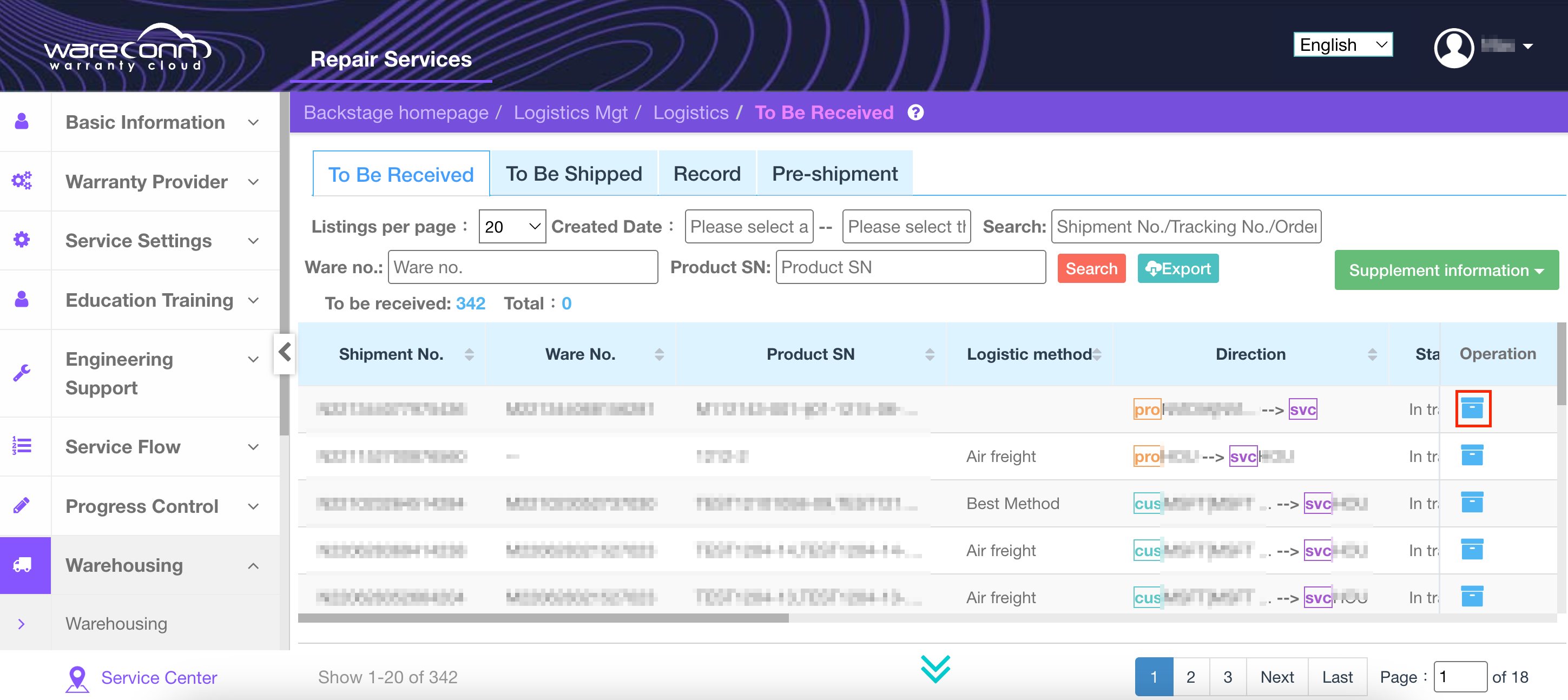
4.2 Defective Products Receipt
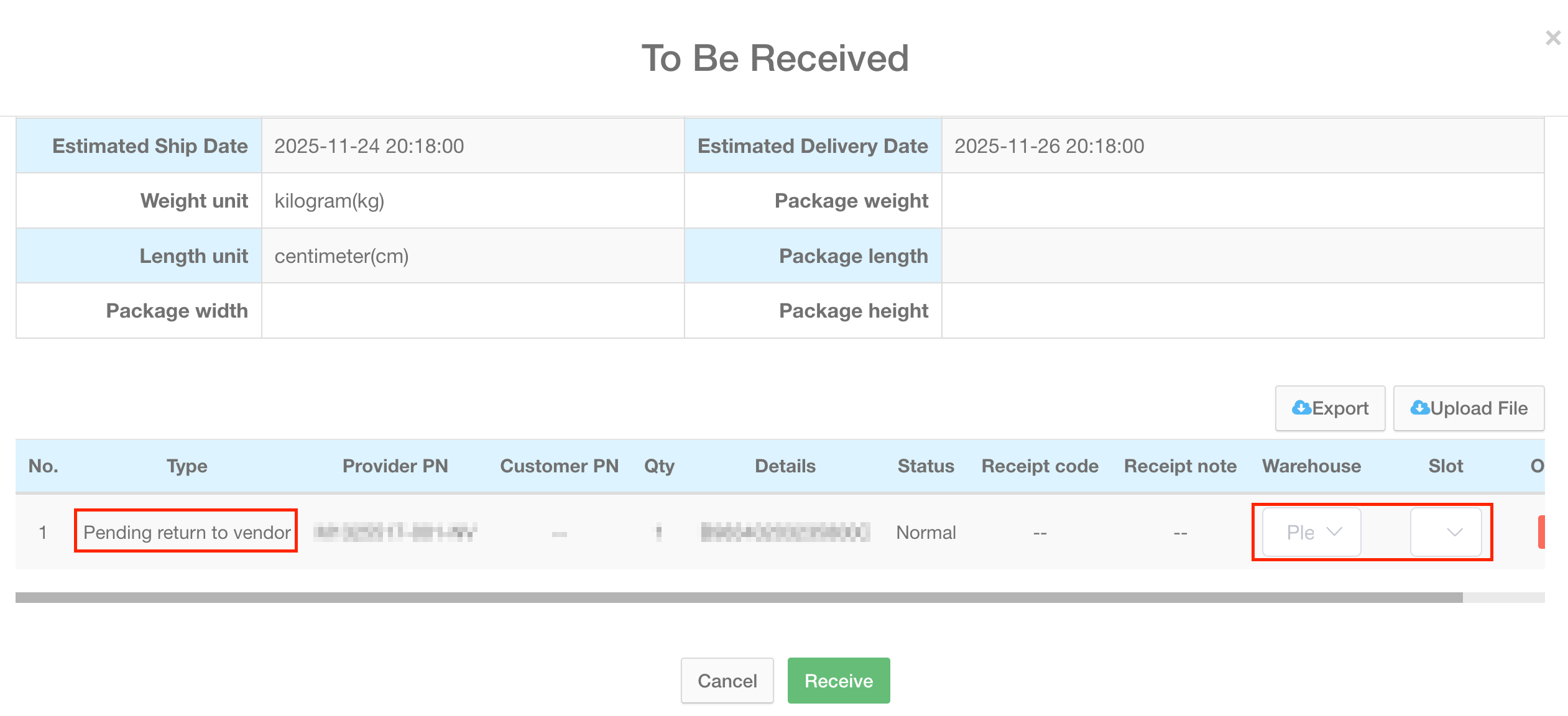
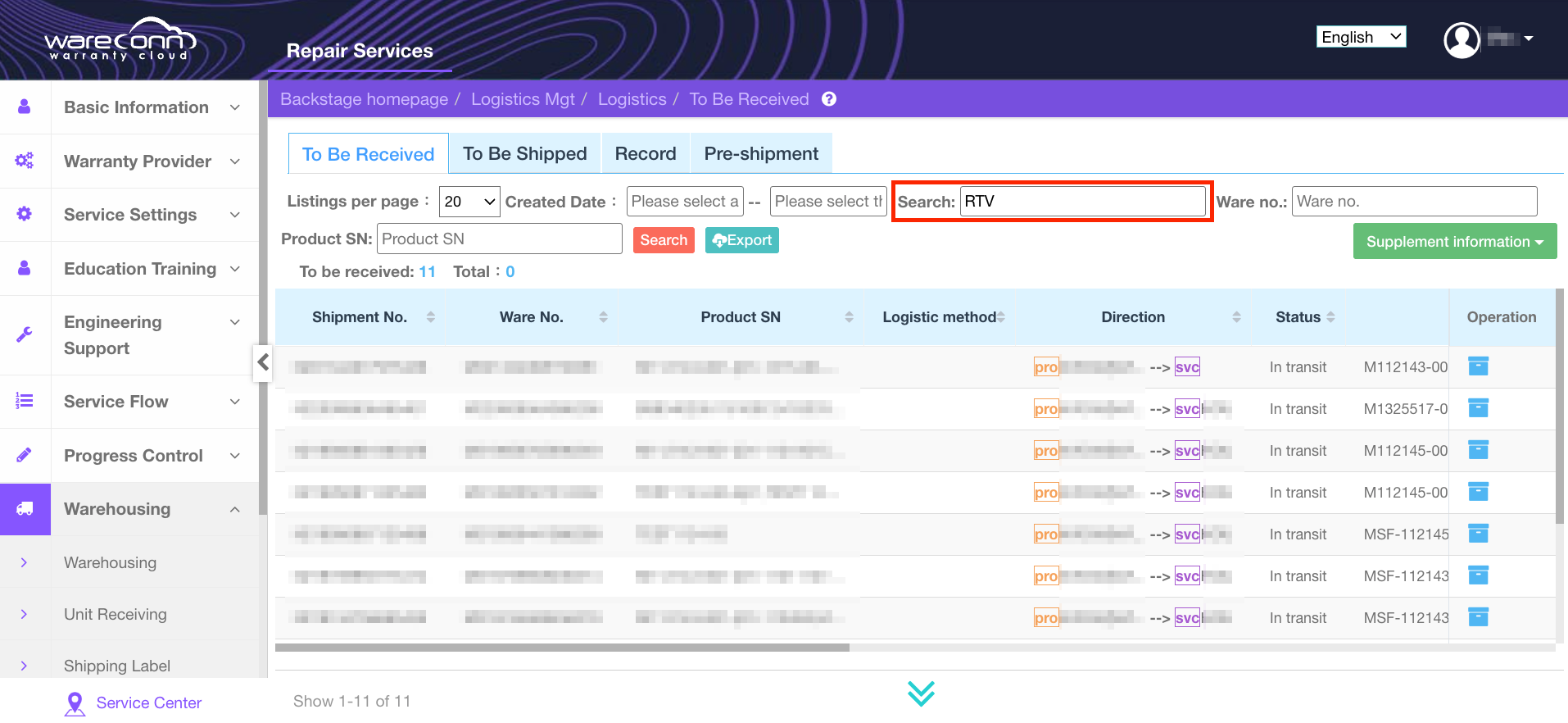
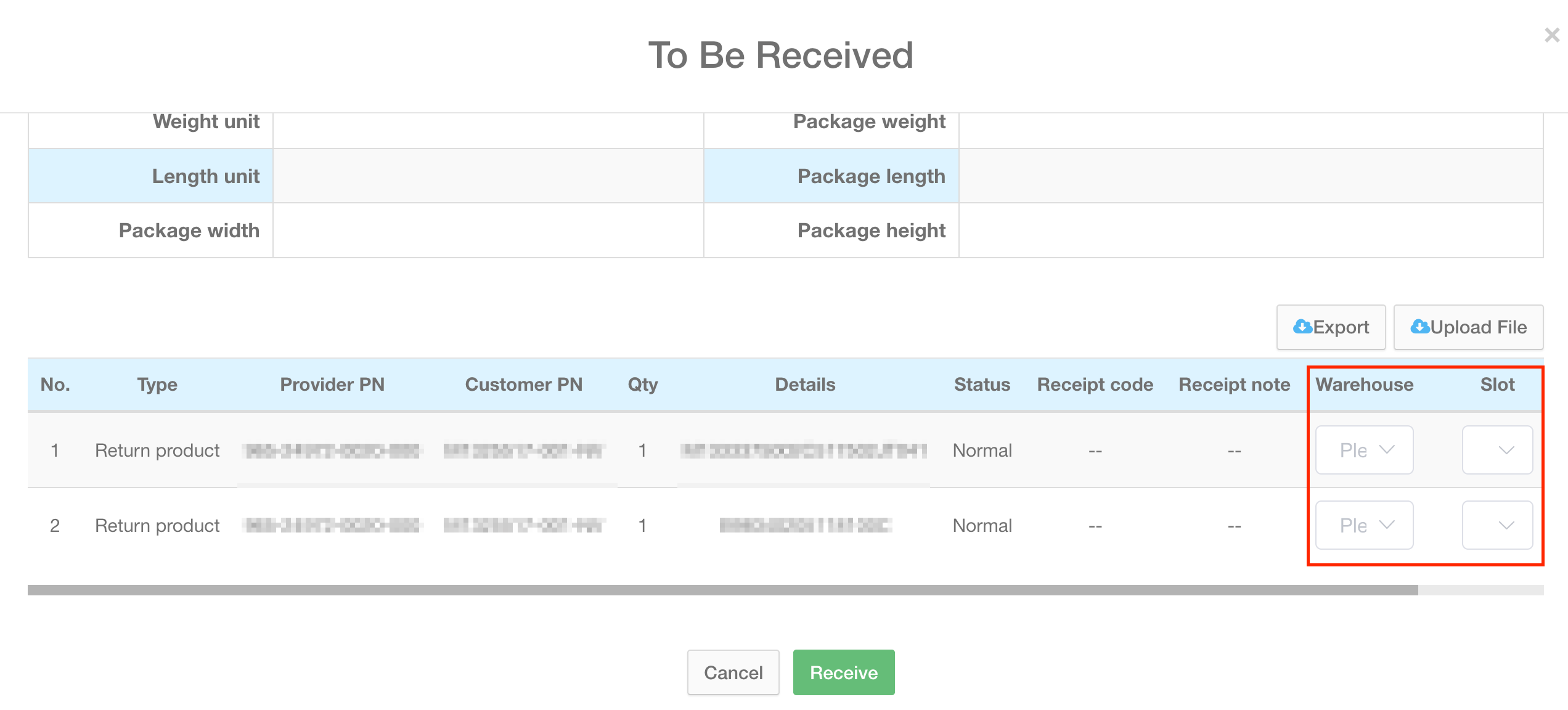
Service center search for the receipt order marked "Pending Return to Vendor" within the "Logistics → To Be Received" module. Then select the spare parts warehouse and slot to complete the inventory inbound process.
4.3 RTV Warranty Claims
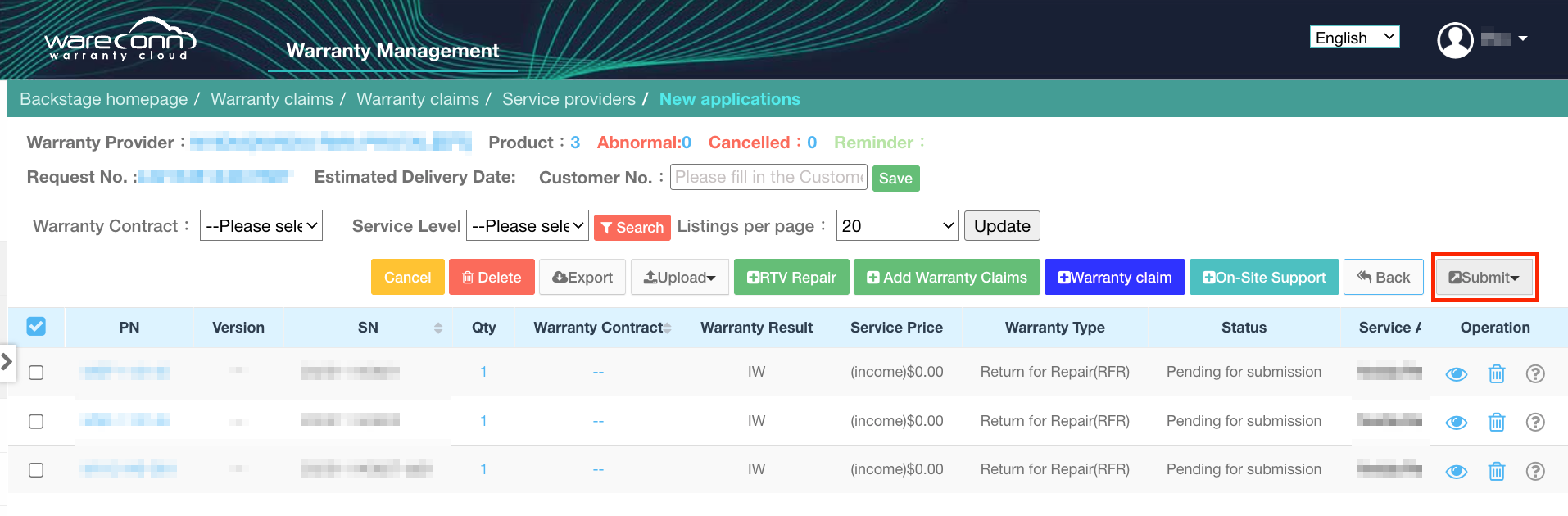
Customer 2 (Warranty Provider 1) enters “Warranty Claims→ Add,selects the corresponding vendor, and clicks“RTV Repair,”then select the target products, fill in the PO Number, and submit the claim.

4.4 Defective Products Shipment
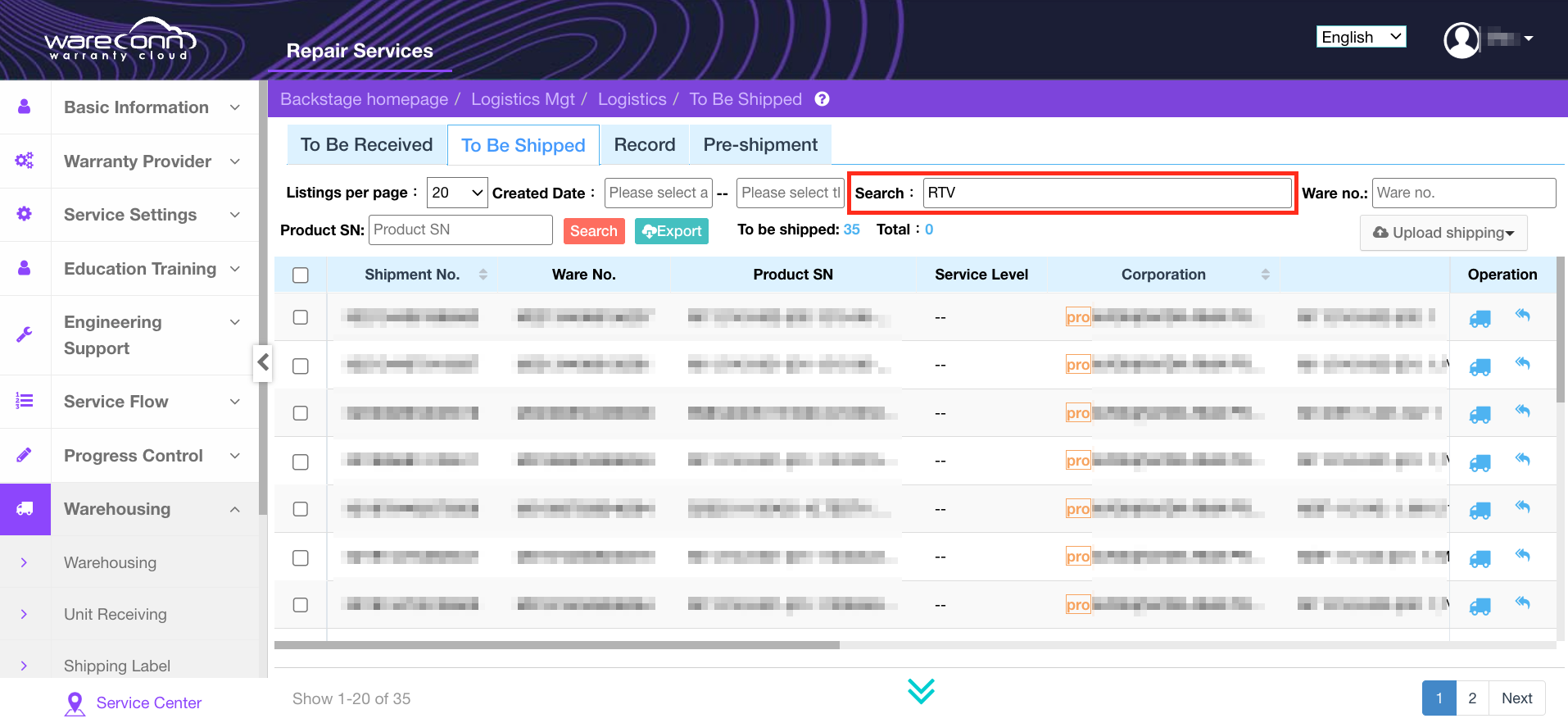
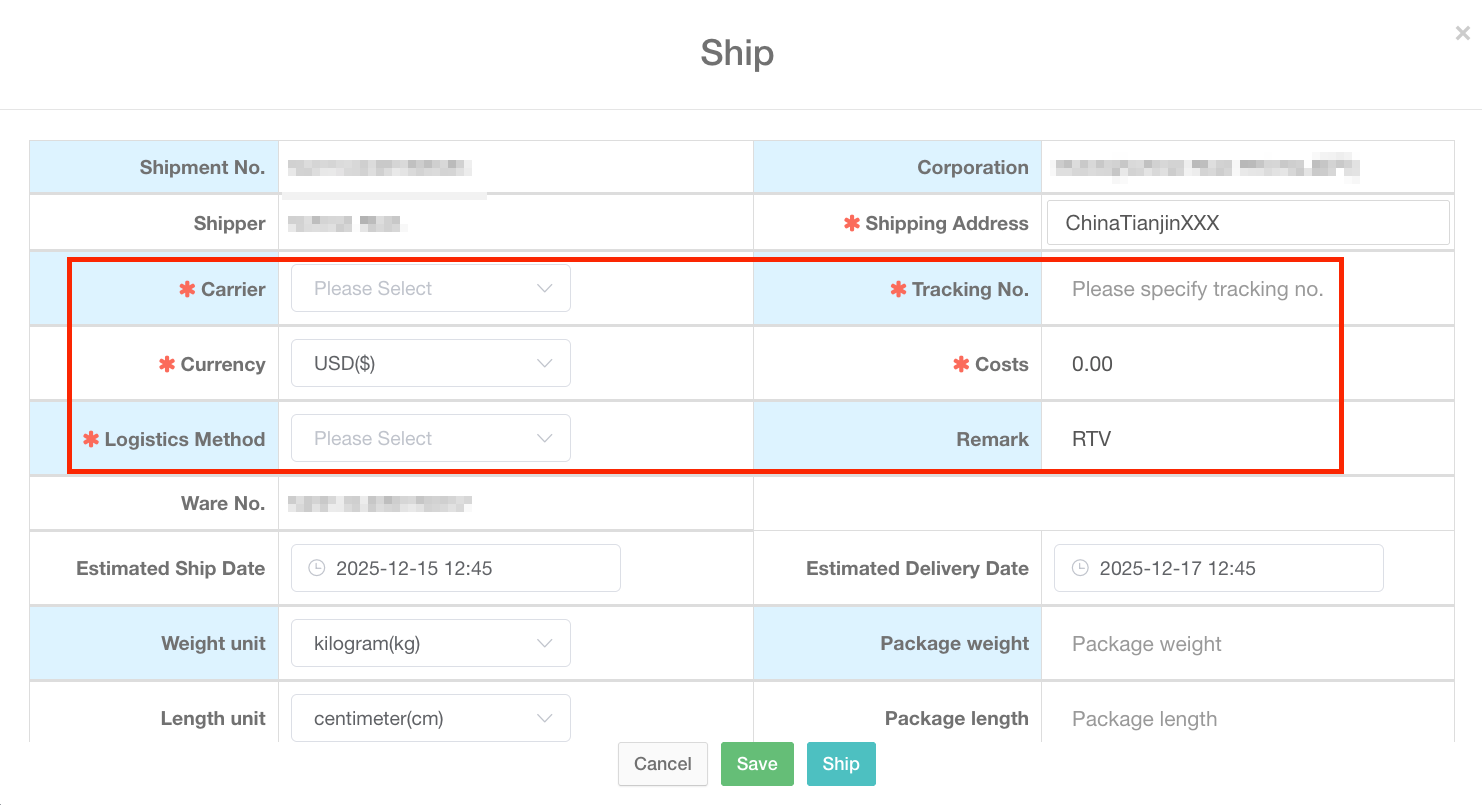
Service Center search for shipment orders in "Logistics → To Be Shipped" and use the "RTV" filter, fill in the logistics information, and confirm the shipment.
4.5 Good Products Receipt
After the vendor returns the repaired products, service center can search for the corresponding order in “To Be Received.” Upon verification of product information, the products are received into the spare parts warehouse for subsequent customer warranty support.
Thank you for your continued trust and support of the Wareconn Warranty Cloud platform. We will keep improving our features to provide you with a more efficient and flexible service experience. For any questions or suggestions, please feel free to contact us.