Dear Wareconn Warranty Cloud Users,
Wareconn Warranty Cloud Platform launched the【Auto-Close】in 2026/5. Details are as follows:
1. Feature Overview
Once a repair task is completed at the final station, the system can automatically trigger the closure of the work order based on customized configuration policies. This feature aims to:
Simplify operations by reducing manual administrative tasks.
Enhance efficiency by allowing staff to focus on physical repair work while the system handles process automation.
2. Application
Warranty Provider, Service Center
3. User Manual:
3.1 Warranty Provider Authorization for Service Center
Path:Warranty Provider → Repair Services → Service Authorizayion → Case Close → Case Closure Authorization
1. Enter the "Case Closure Authorization" page, select the target Service Center, and click the "Settings" icon (Picture 1).
2. Navigate to the "Auto Closure Authorization After Service Completion" tab, select the corresponding customer(s), and click the "Authorize Closure" button (Picture 2).
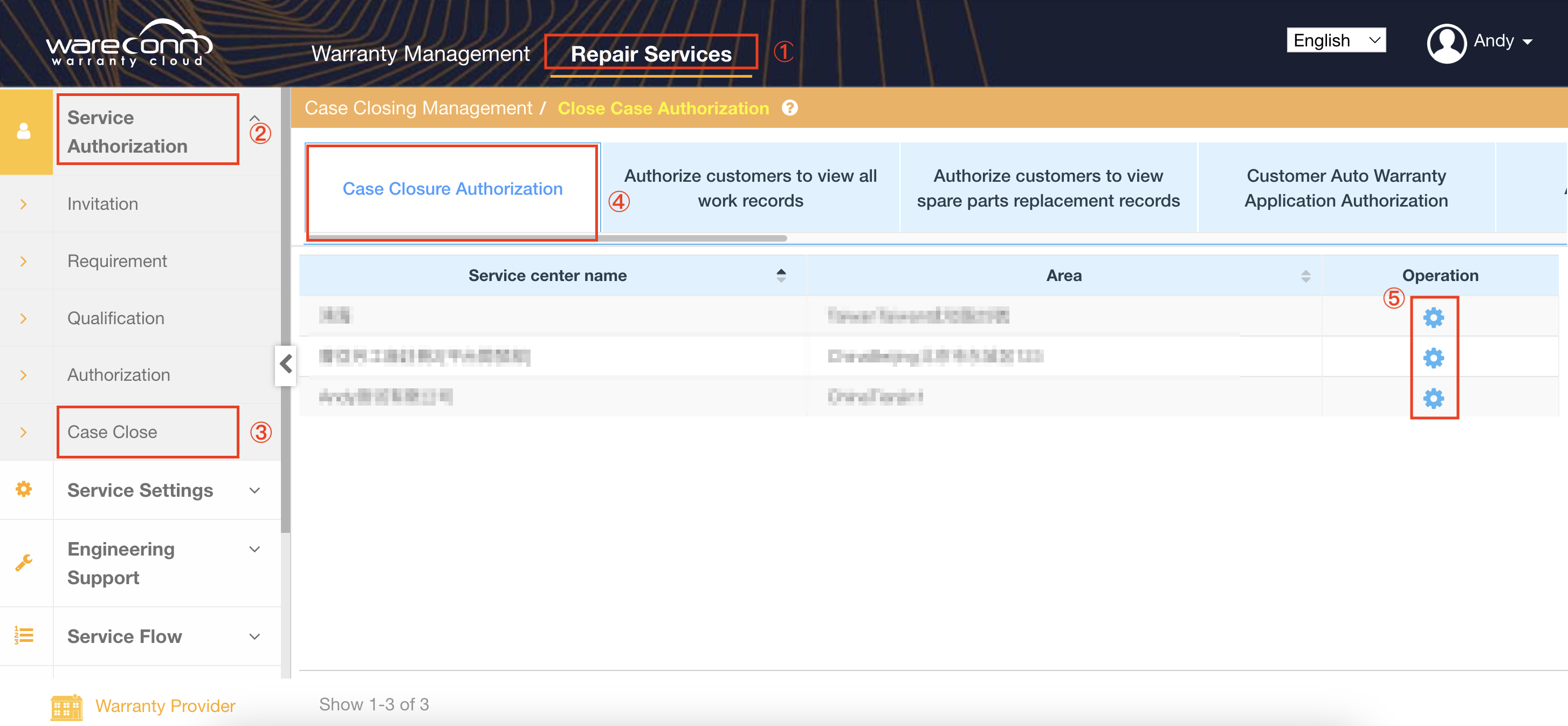
(Picture 1)
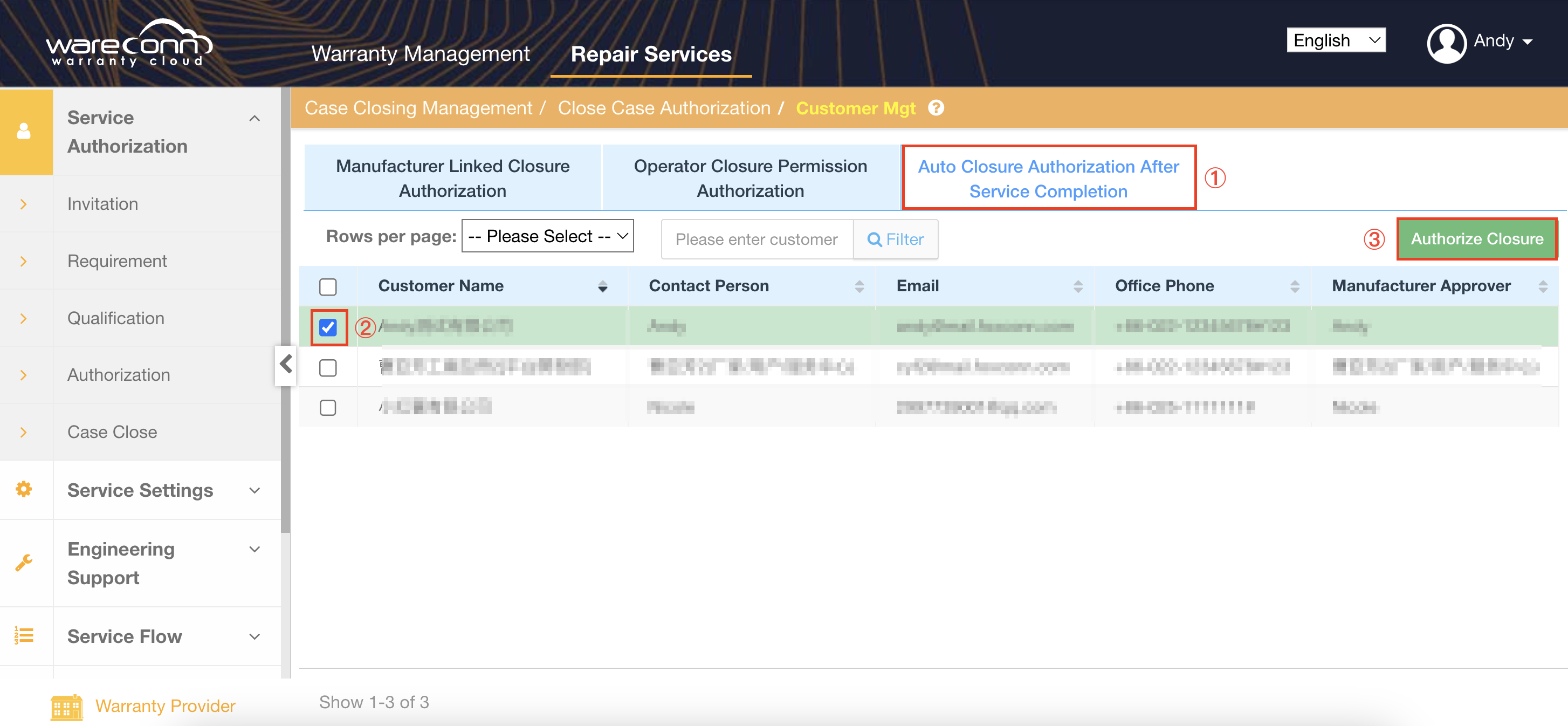
(Picture 2)
3.2 Automatic Closure at Service Centers
Once authorization is granted, when the Service Center completes a repair task for the authorized customer, the maintenance work order will automatically transition to "Closed" status.
Thank you for your continued trust and support of the Wareconn Warranty Cloud platform. We will keep improving our features to provide you with a more efficient and flexible service experience. For any questions or suggestions, please feel free to contact us.