Dear Wareconn Warranty Cloud Platform users,
The Wareconn Warranty Cloud Platform launched its Smart Customer Service feature on November 2, 2026. The details are as follows:
1. Feature Overview
Smart Customer Service answers the operational questions users encounter while using the system. From any page, users can open Smart Customer Service through the Help button and describe their question in natural language. It searches the system's built-in standard operating procedures (SOPs) for relevant content, compiles the operation steps and explanations, and lets users view the original SOP for further detail. Users no longer need to flip through manuals or wait for a human reply, and can resolve everyday operation questions faster.
2. Applicable Users
Manufacturers and service centers (to be extended to all platform users later)
3. Instructions
3.1 Accessing Smart Customer Service
Path: Any system page → Help button → Smart Customer Service
Click the Help button on any system page and select [Smart Customer Service] to open the chat window.
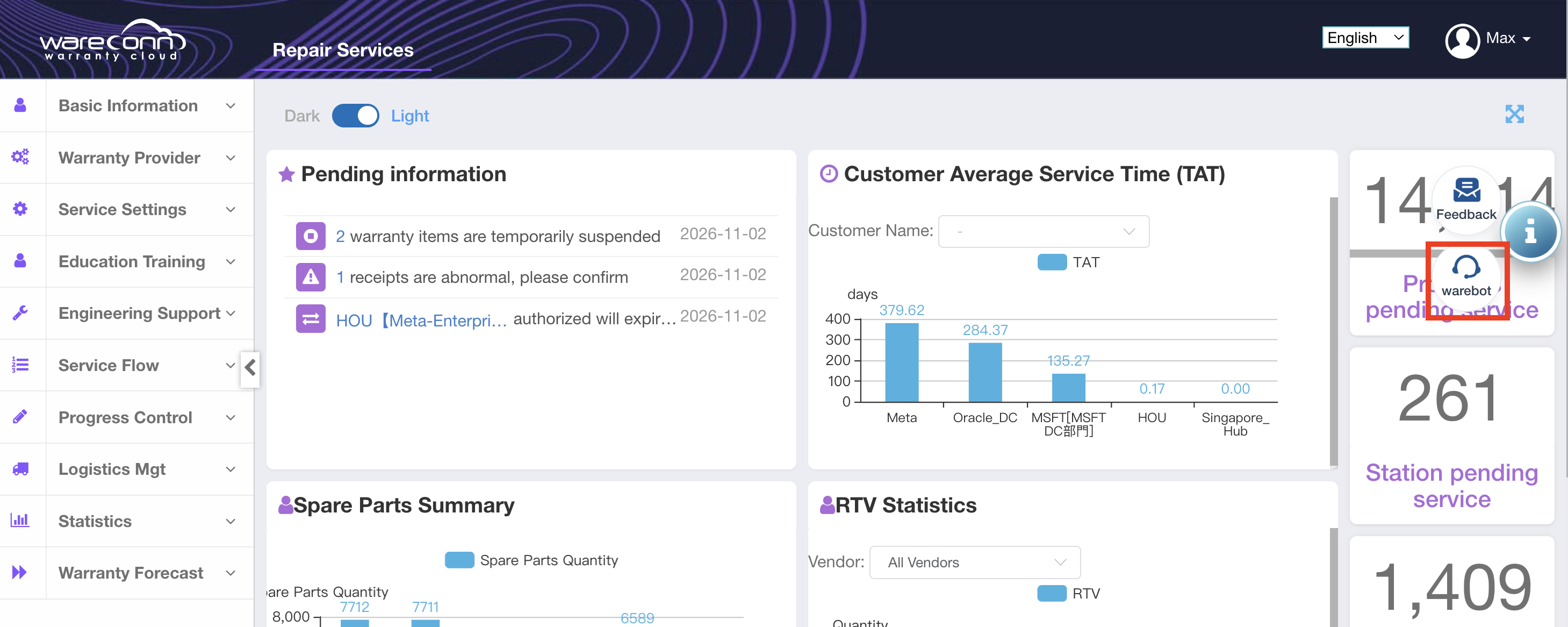
Figure 1: Help button entry
3.2 Asking Questions and Getting Answers
Enter your operation question in the chat box, for example "How do I close a case and ship out?" or "How do I manage spare parts?".
Smart Customer Service searches the system SOPs for relevant content, gives the corresponding operation steps directly, and states the menu path where the feature is located.
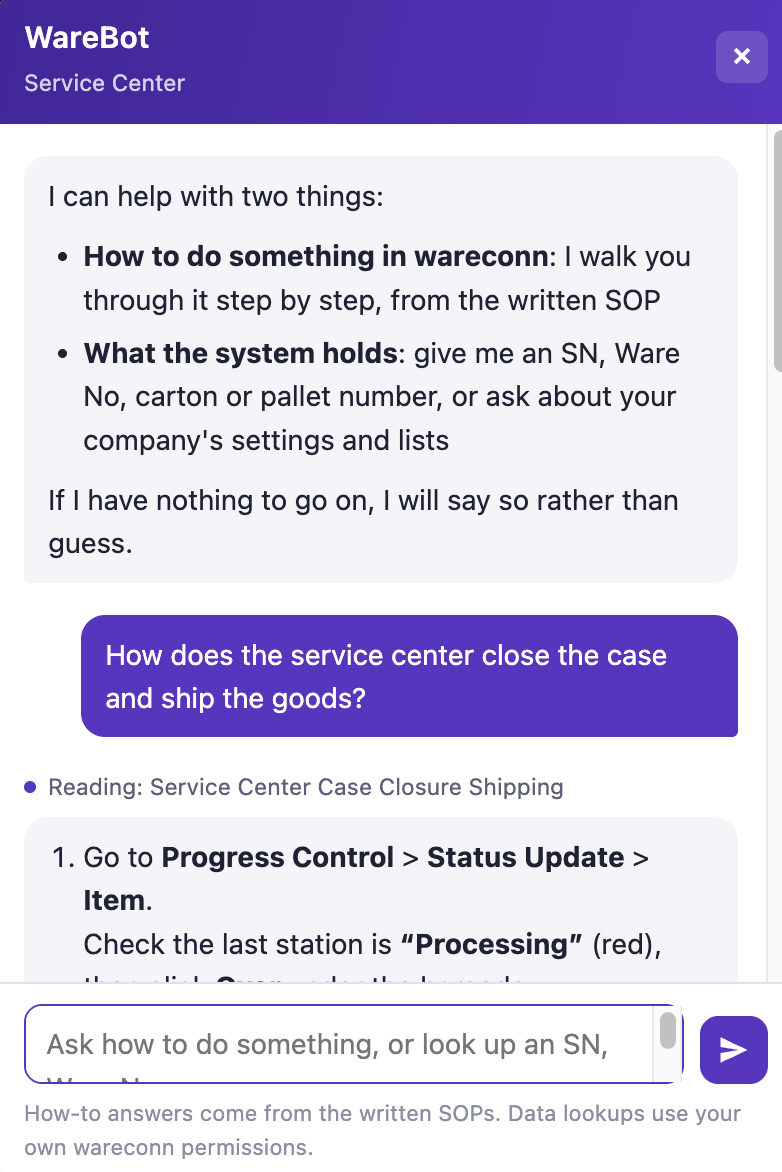
Figure 2: Smart Customer Service reply to a submitted question
After Smart Customer Service replies, you can click the related SOP to view the complete operation manual for more detailed instructions.
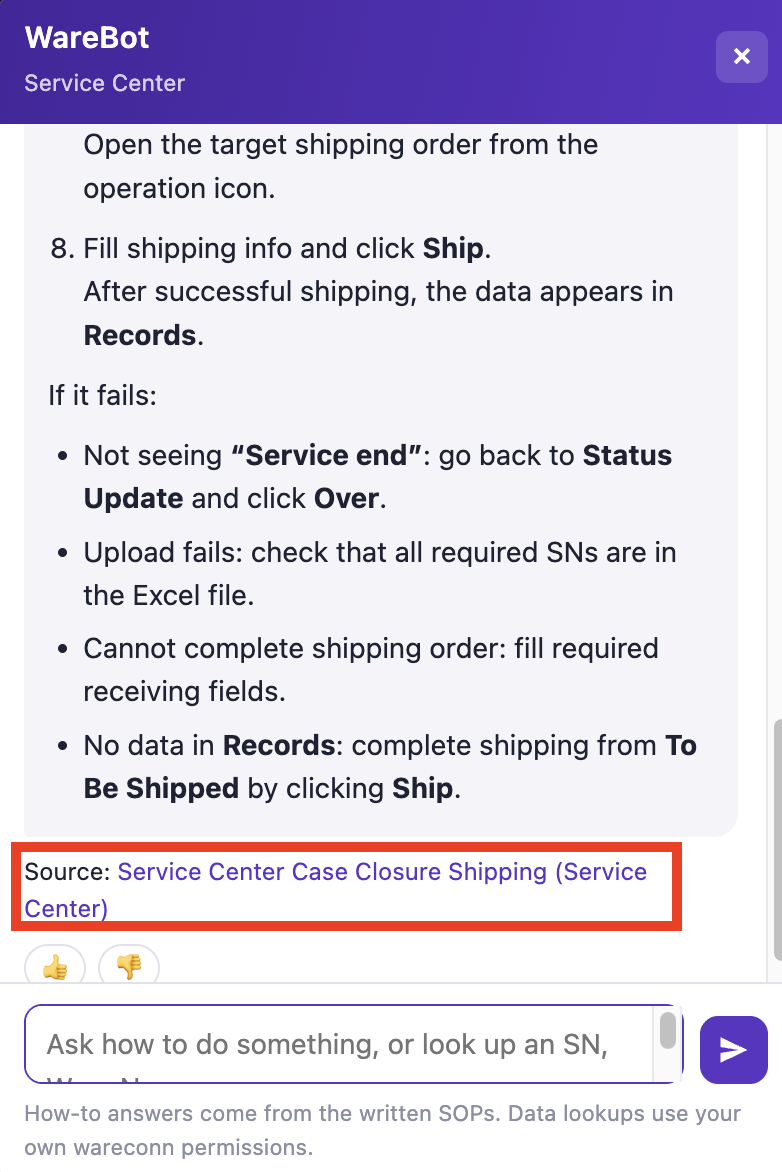
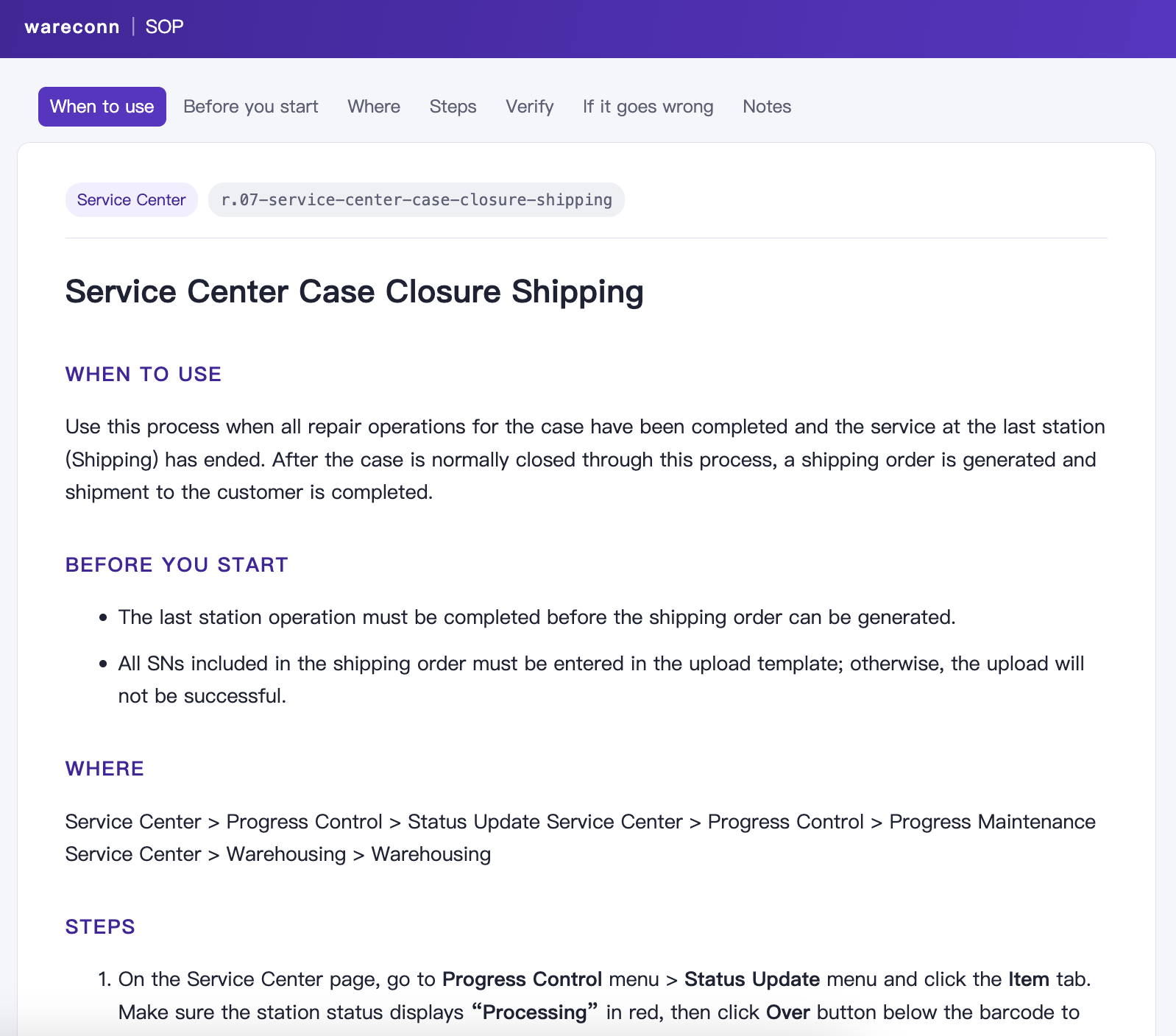
Figure 3: Viewing the related SOP
3.3 Usage Tips and Issue Feedback
When asking, please state the feature name and the specific scenario as clearly as possible. For example, "How do I approve a spare parts request form" is more likely to get an accurate answer than "How do I approve".
If the answer does not solve your problem, try rephrasing your question or adding more details.
If you need further assistance, please submit your issue to us through [Help button → Issue Feedback], and we will follow up as soon as possible.
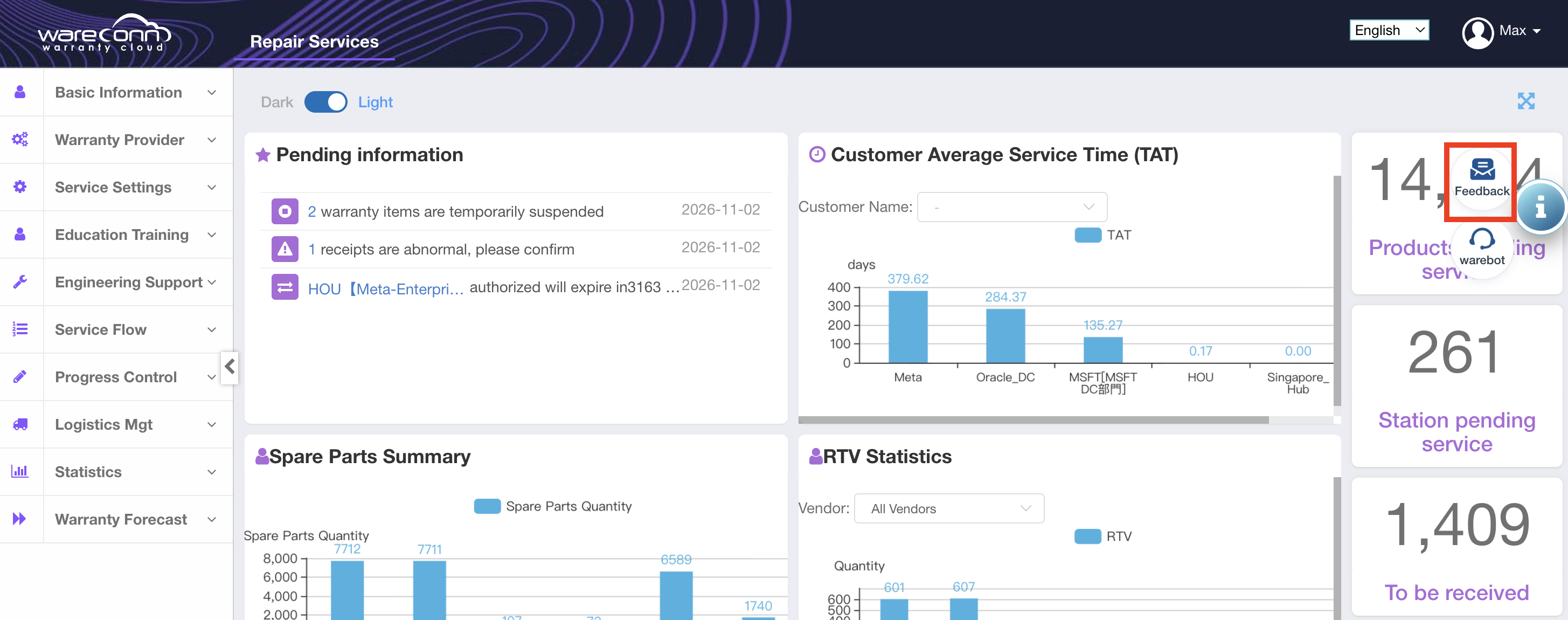
Figure 4: Issue Feedback entry
Thank you for your continued trust and support of the Wareconn Warranty Cloud Platform. We will keep improving the platform's features. If you have any questions or suggestions, please feel free to contact the platform customer service team.